From first visit to finished job. One app.

For companies that sell, measure and install. Your office, your salespeople, your store and your installer teams on the same page, on any phone or computer.

Kitchens & wardrobesAluminium & windowsAir conditioningCurtains & blindsCCTV & alarmsFlooringSolar
The office screen: the installations calendar showing which team goes where this week
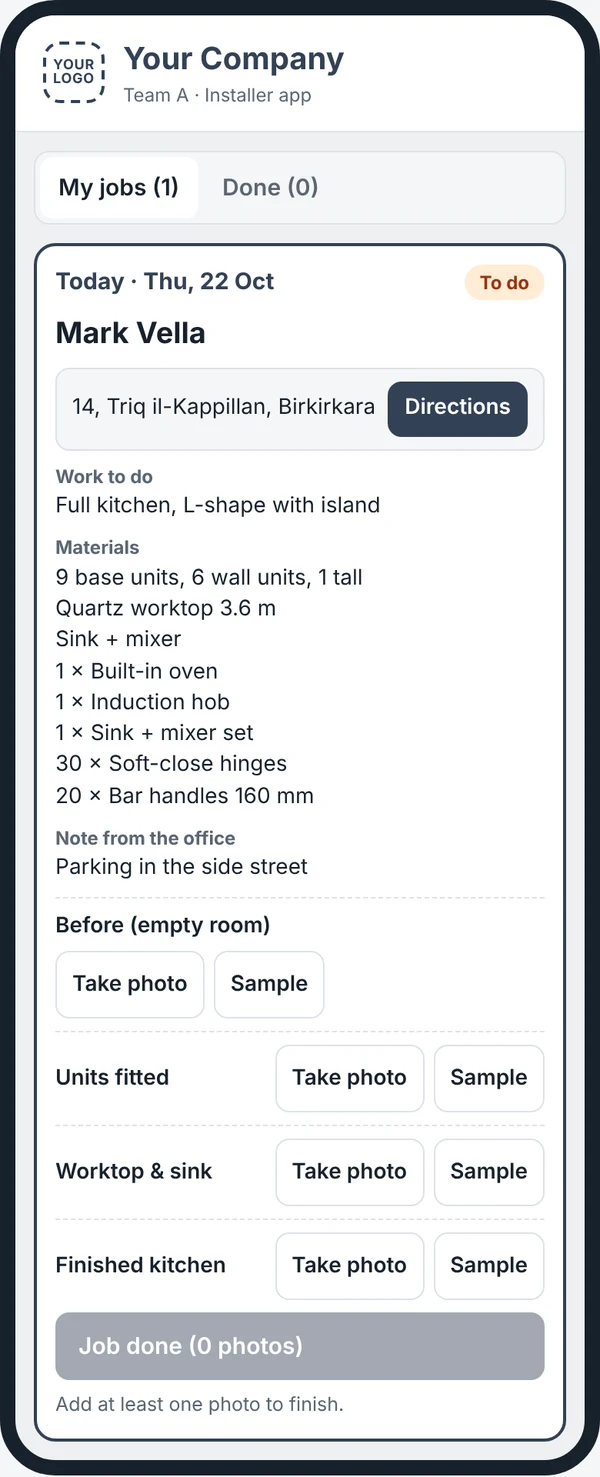
The installer's phone: today's job with the address, directions, materials and photo boxes
What you get, step by step

Follow one job from the first call to the money in the bank

This is everything your subscription covers, in the order a job happens. Every step is a screen in the app, and everyone sees where each job stands: the office, the salespeople, the store and the team on site.

1Office & salespeople

An enquiry comes in

Every enquiry goes into one list with its next step: call back, send a quote or book a visit. Your salespeople get the same list on their phone.

  • The next step and date on every enquiry
  • Reminders on the phone before each appointment
  • A sales app for your salespeople to log new sales and documents
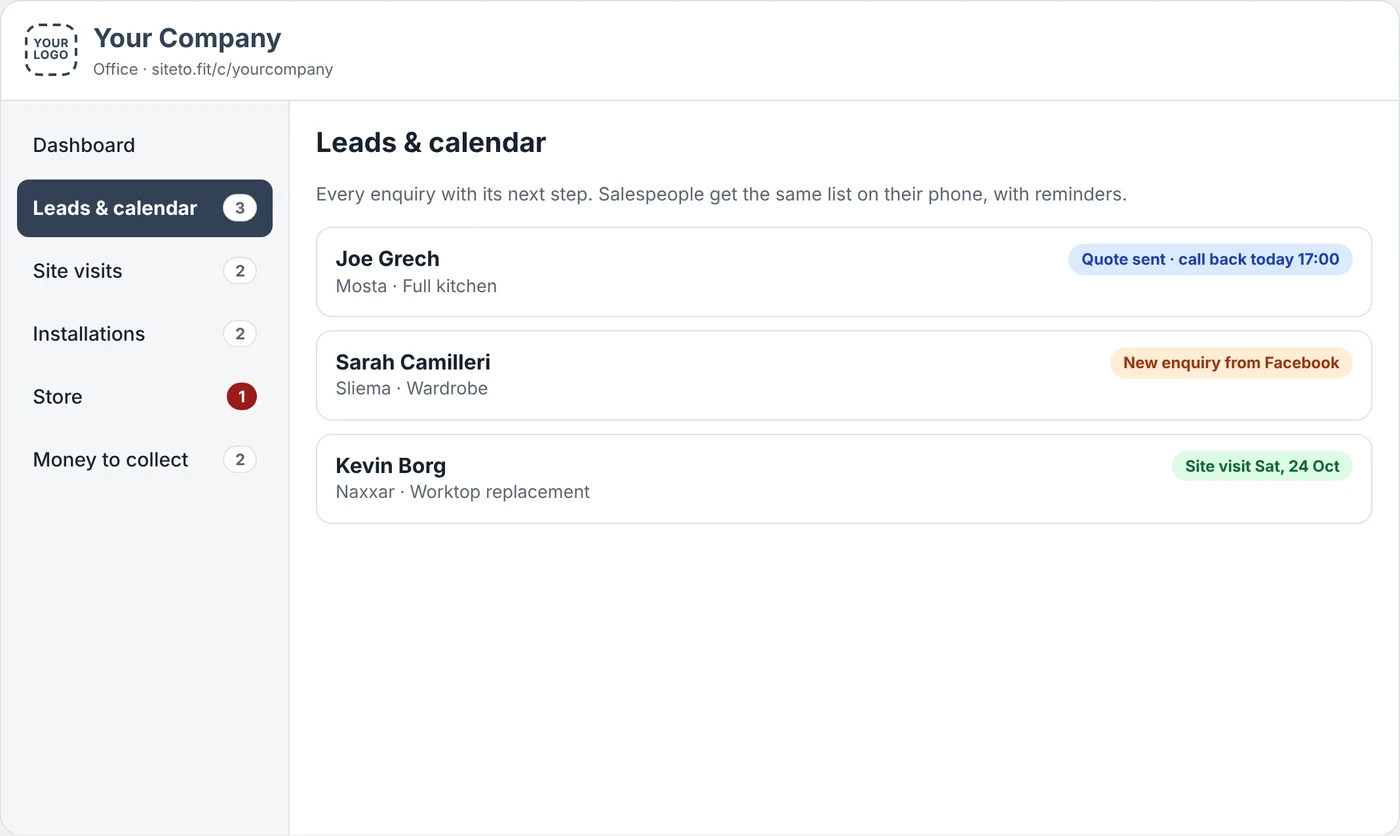
Leads and calendar screen listing enquiries with their next step
2Salesperson or office

The site visit

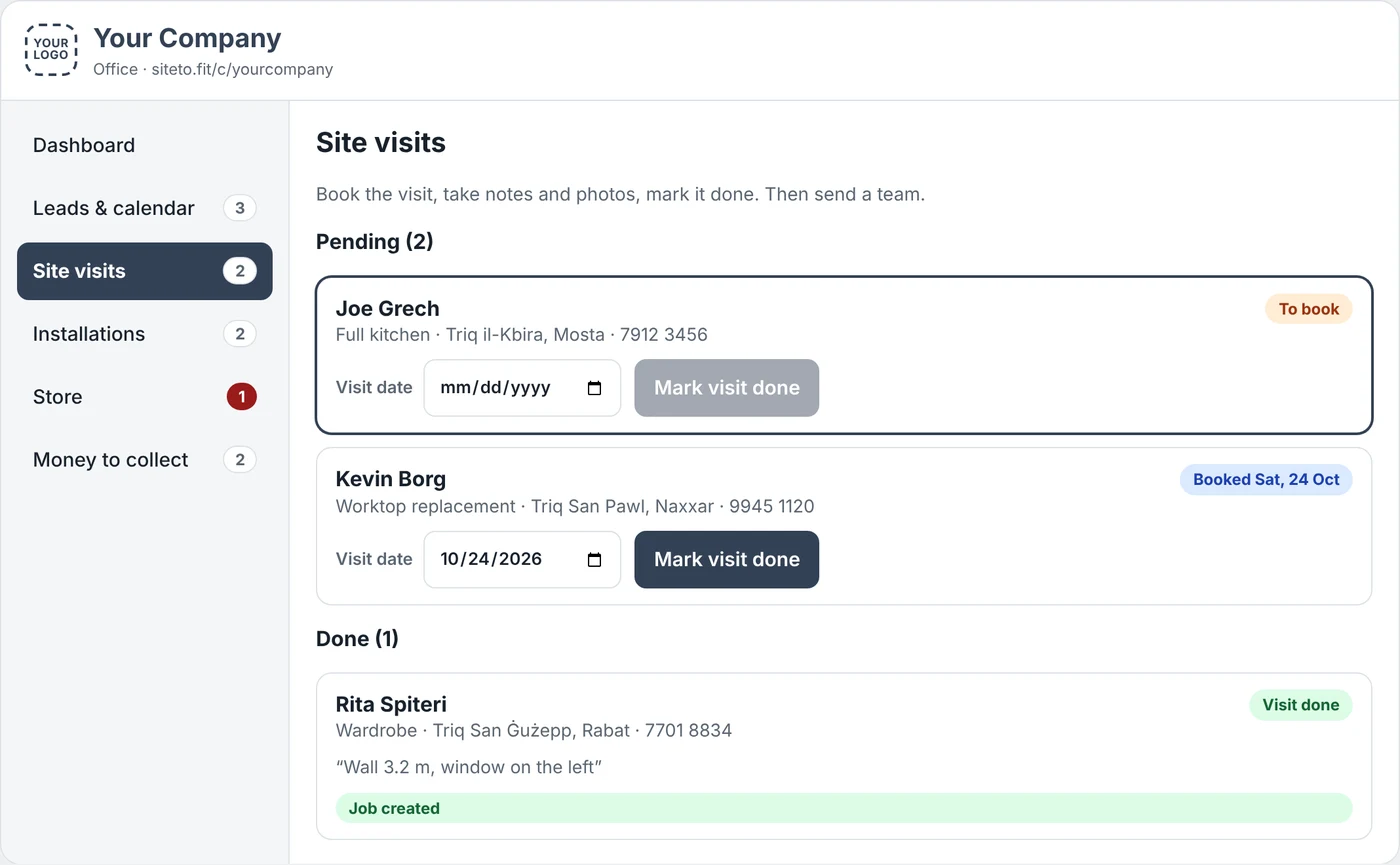
Book the visit, go and measure, then mark it done with your notes. Pending and done visits sit on one screen, so none are forgotten.

  • Visit date and status for every client
  • Measurements and access notes saved to the client
  • Photos and drawings kept with the visit
Site visits screen with pending and done visits
3Office

Turn the visit into a job

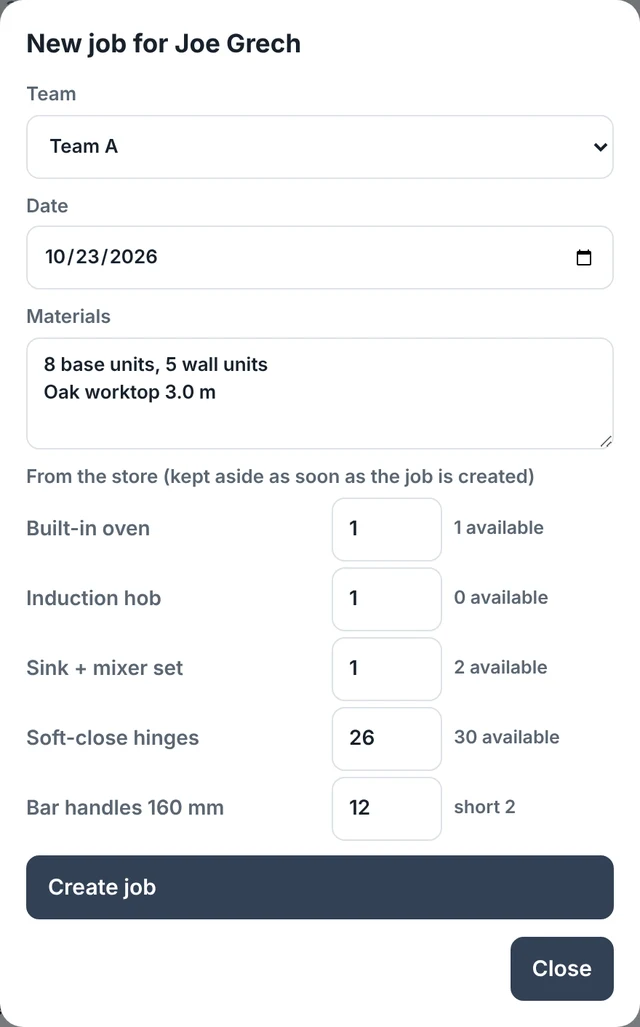
One tap creates the job. Pick the team, the date and the materials, and choose the items it needs from your store.

  • See how many of each item are available as you choose
  • Store items are kept aside for this job the moment it's created
  • The job appears on the installations calendar and the team's phone
New job form with team, date, materials and items from the store
4Store keeper

The store gets the materials ready

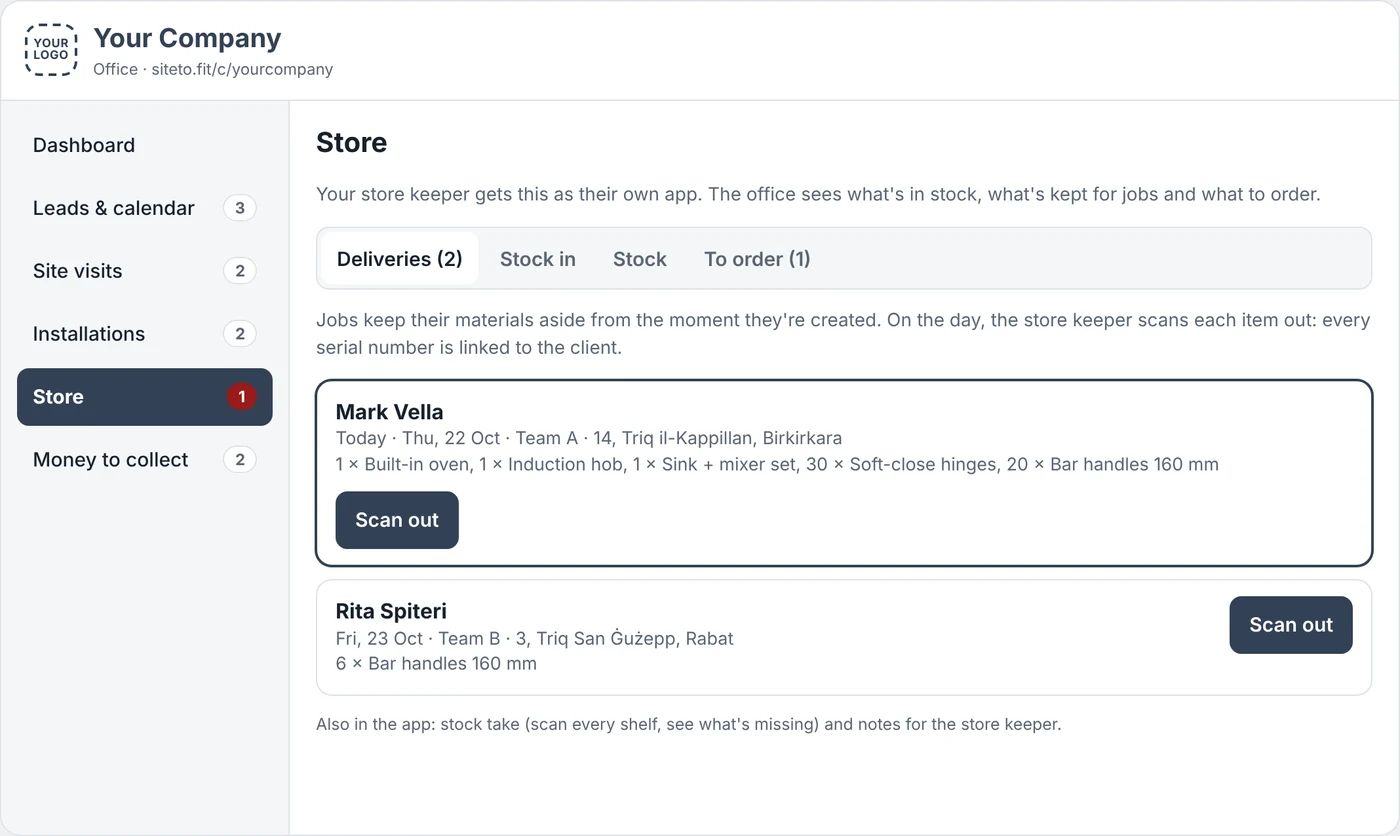
Your store keeper has their own app with the day's deliveries. They scan each item out as it leaves, so you always know what went to which client.

  • A delivery list for each job, by date and team
  • Every item scanned out with a handheld scanner or the phone camera
  • Every serial number linked to the client, ready for warranty
Store deliveries screen with jobs waiting to be scanned out
5Installer team

The team does the job on their phone

Each team sees only its own jobs: the address with directions, the work to do, the materials and any note from the office. They take photos in the boxes you set, then press Job done.

  • Photo boxes you choose for each type of work, with no limit on photos
  • A job can't be finished without photos
  • The office gets an alert when the job is done
The installer's job on a phone with directions, materials and photo boxes
6Office

You check the photos and close the job

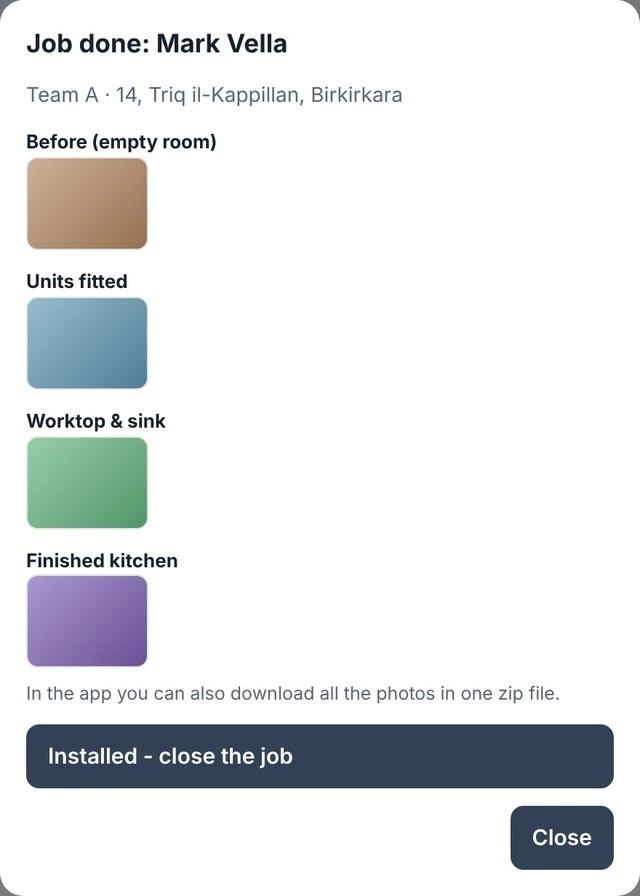
Open the alert and look at the photos of each stage. If you're happy, press Installed and the job is closed.

  • Photos sorted by stage: before, during and finished
  • Download all the photos of a job in one file for warranty or disputes
  • Every installed job kept with its client
Checking the photos of a finished job before pressing Installed
7Office

Collect the money

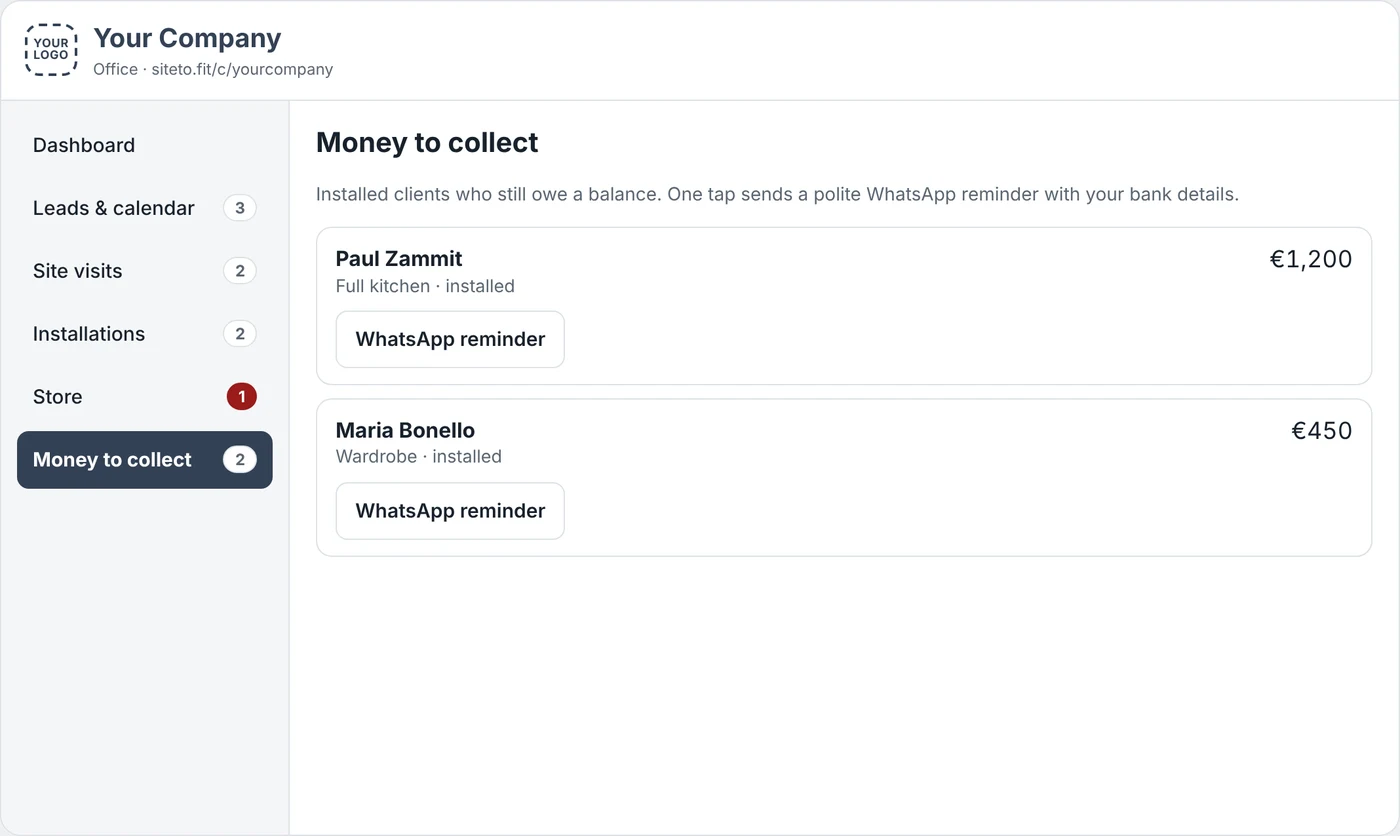
Once the job is installed, the balance moves to Money to collect. You see who still owes you and how much, without digging through files.

  • Every balance still owed, in one list
  • One tap sends a polite WhatsApp reminder
  • Your bank details included in the reminder
Money to collect screen with balances still owed and WhatsApp reminder buttons
The Store

Know what's in stock, what's kept for jobs and what to order

Behind every job is your store. SiteToFit keeps it up to date as items come in and go out, so a team never turns up short.

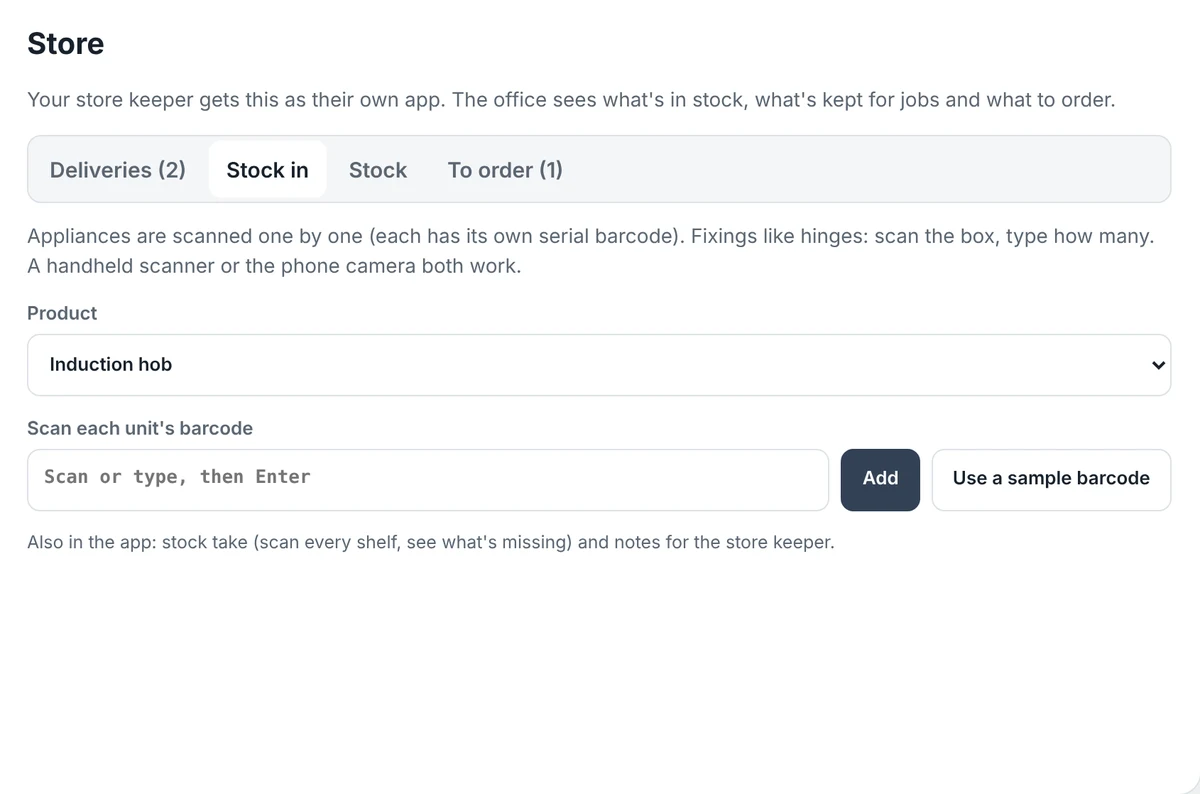
Stock in

Scan items in as they arrive. Appliances are scanned one by one by their serial barcode. For fixings like hinges, scan the box and type how many.

Stock in screen for scanning new items into the store

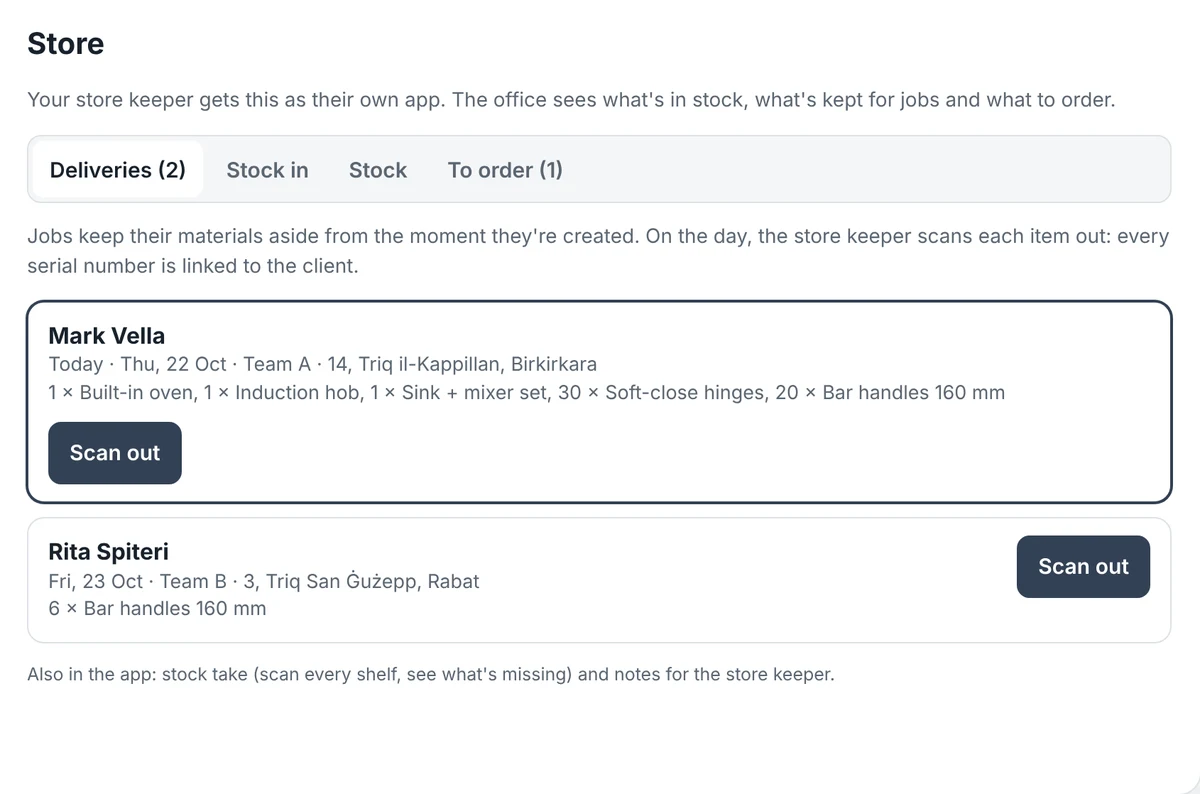
Stock out

Each job's materials wait in a delivery list by date and team. On the day, the store keeper scans every item out, and each serial number is linked to the client it went to.

Stock out screen with the day's deliveries waiting to be scanned out

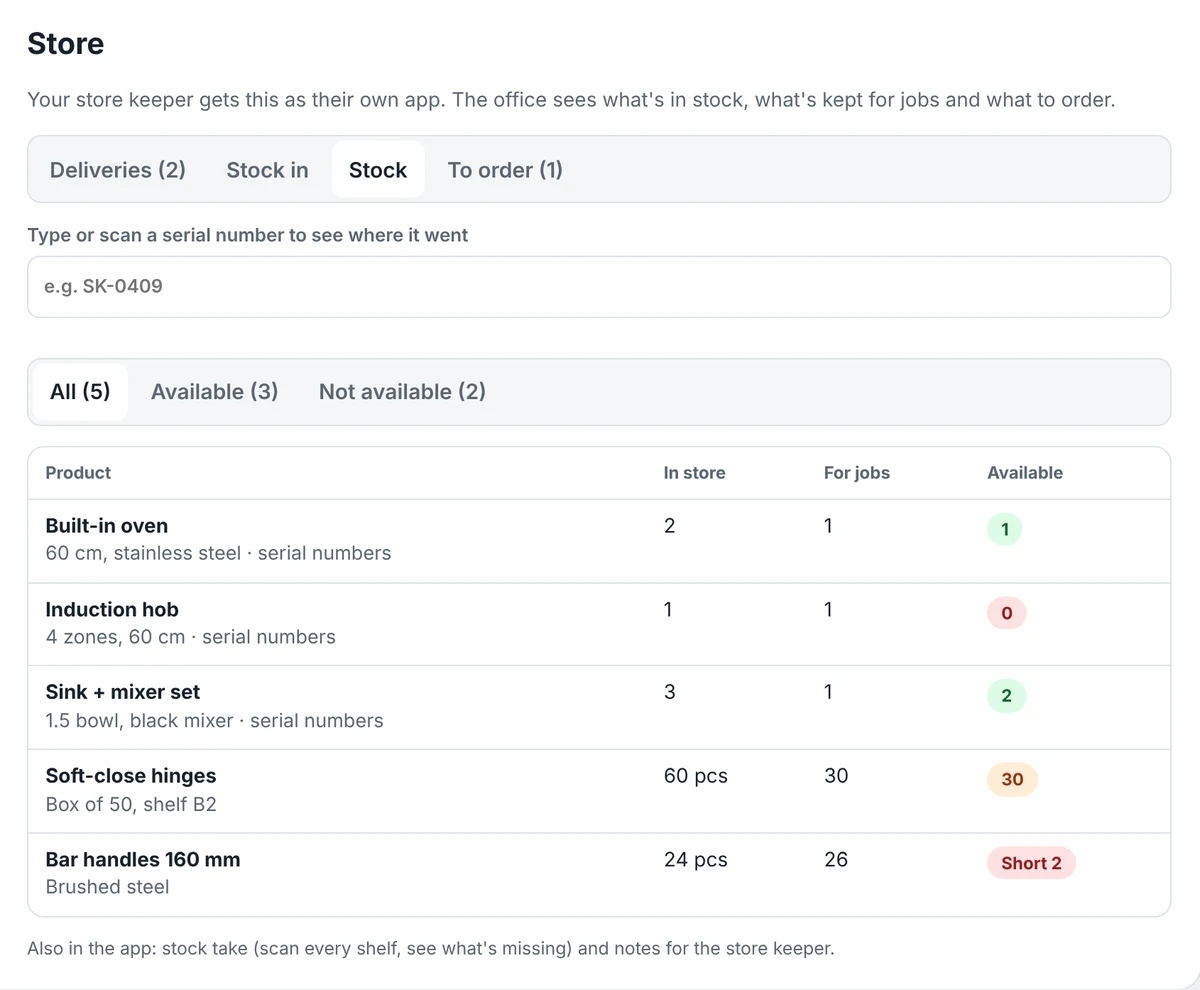
Stock

For every product: how many are in the store, how many are kept for jobs, and how many are free to use. Type or scan a serial number to see where it went.

Stock screen showing what's in the store, kept for jobs and available

To order

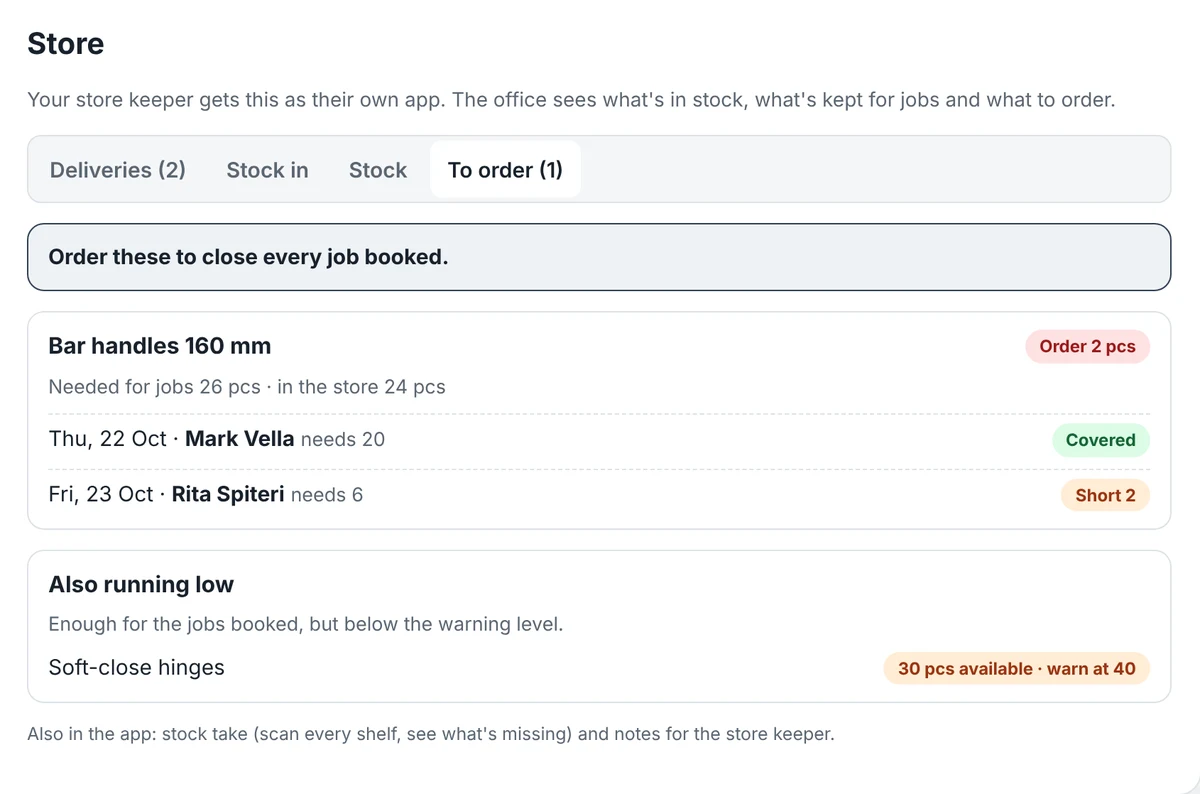
What to order so every booked job is covered, and which job would be short without it. Items below your warning level are flagged too.

To order screen listing what to order to cover every booked job
Also in the StoreStock take: scan every shelf and see what's missing. Notes for the store keeper.
Also included

Everything else your company runs on

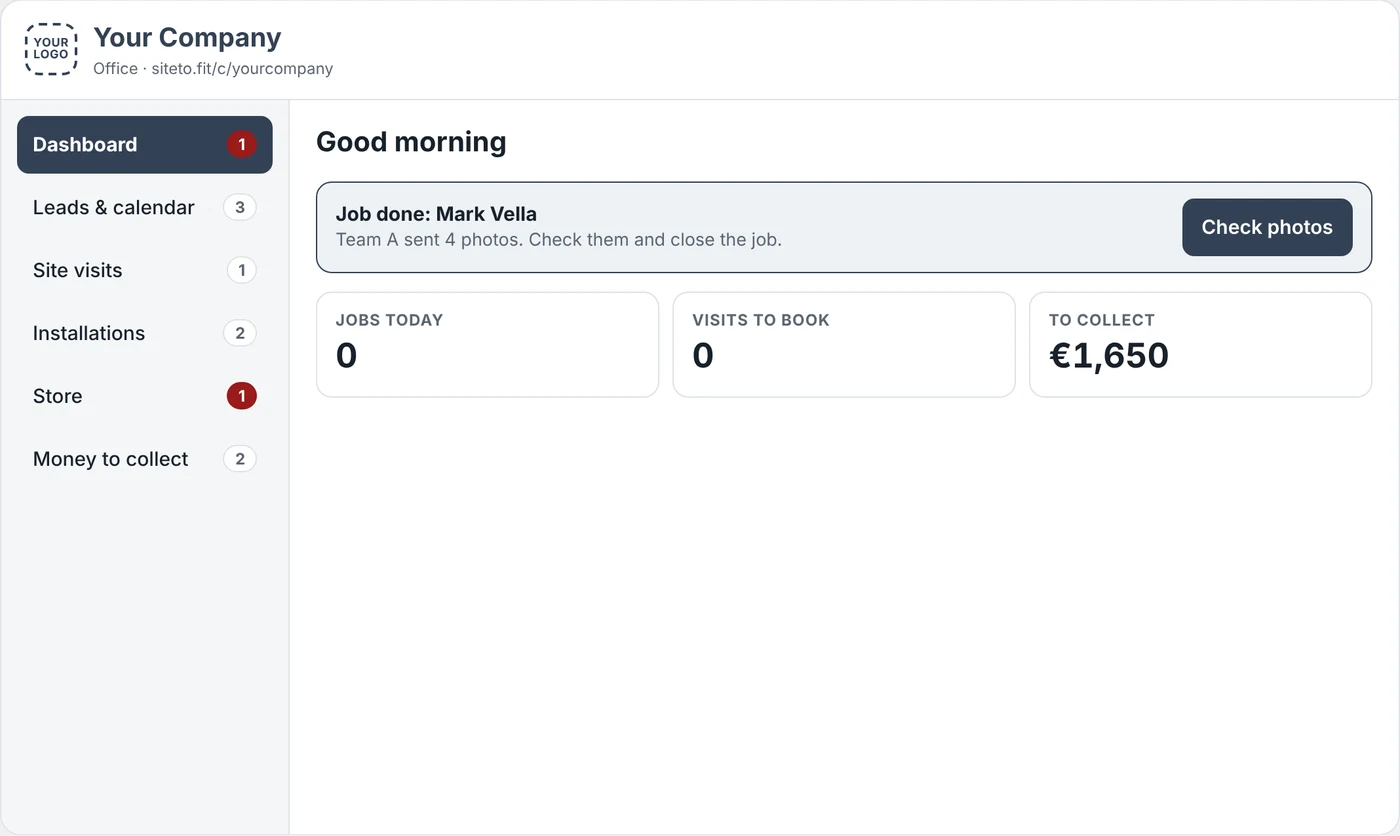
DashboardEach morning: jobs today, visits to book, money to collect, and alerts for finished jobs.
Installations calendarWhich team goes where, today and this week. Jobs for any work, not only big projects.
Clients in one placePhone, email, every visit, job, photo and payment, when a client calls.
Targets & monthly reportSales per salesperson against target, and a one-page monthly PDF report.
Your name, logo and coloursYour team and clients see your company, on your own page address.
Any phone or computerWorks in any phone browser or as an Android app. Nothing to install in the office.
Trade packs

Extra screens for a trade. The Solar pack adds REWS grants, Part B deadlines and reading grant offer letters. More packs as new trades join.

Pay only for what you use
How it helps your company

Fewer phone calls, fewer mistakes, faster payment

Nothing falls throughEvery visit and job has a status. You see what's pending without asking anyone.
Teams leave readyThe address, materials and site notes are on their phone before they set off.
Never short on siteMaterials are kept aside when the job is booked, and you see what to order in time.
Every serial tracedEach appliance that leaves the store is linked to the client it went to.
Proof on every jobPhotos of each stage, ready for warranty claims, disputes or your own checks.
Get paid soonerBalances are listed when a job is installed, and a reminder is one tap away.
Less WhatsApp chaosJob details stop living in group chats and personal phones.
Start in a dayWe set up your job types and photo boxes for you, so your teams can start straight away.
Why choose us

Built for how local installation companies actually work

FeatureExcel, paper & WhatsAppBig international appsSiteToFit
Visit → job → installed in one flowSpread over many placesYes, often built for other tradesYes, made for sell-measure-install
App for installer teams with photo boxesPhotos lost in chatsDepends on the planIncluded, no photo limit
Store, stock & what to orderCounted by handDepends on the planIncluded, linked to every job
Maltese numbers & WhatsApp remindersBy handNot made for MaltaBuilt in
Your logo and colours–Depends on the planIncluded
Malta grant paperwork (Solar pack)By handNoYes
Support–Overseas, by ticketLocal, in Malta
Try it

See it for yourself, then tell us what you think

We're looking for a few local companies to try it and help shape it. Open the demo, follow the steps, and answer three quick questions at the end.

Open the demo

A sample kitchen company with made-up clients. Switch between the office and the installer's phone, and follow a job from first visit to installed.

The demo's office dashboard with an alert for a finished job

What you get as an early company

  • A free trial on your own page, with your logo
  • Your job types and photo boxes set up for you
  • A say in what we build next

Talk to us

Ask for a demo at your office, or send your feedback.

Gary Falzon
7932 3756phone & WhatsApp
gary.falzon2104@gmail.com